
Start With a One-Page Playbook: Runbook vs Playbook for SREs
Start With a One-Page Playbook: Runbook vs Playbook for SREs
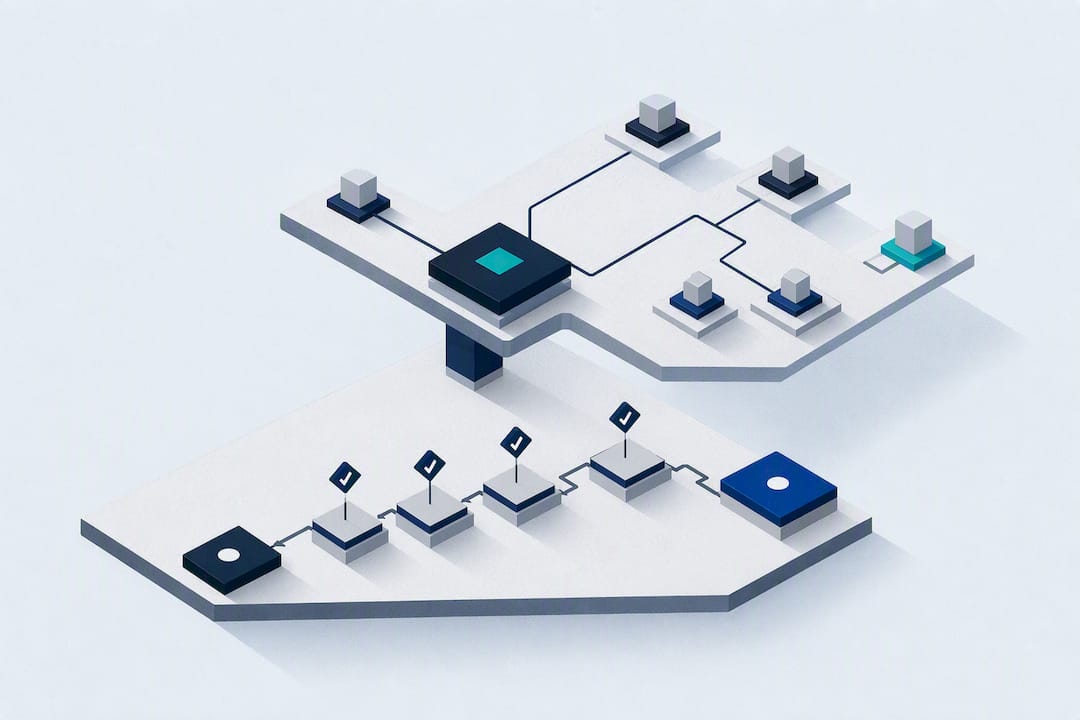
A runbook is a technical, step-by-step execution guide for a specific task. A playbook is a coordination and decision framework for the people managing an incident. Most platform teams should start with a one-page playbook that covers roles and escalation, then add runbooks the first time a failure repeats.
TL;DR:
- Runbooks should be stored in version control and regularly validated through drills to prevent them from becoming outdated or unused during incidents.
- Use runbooks for repetitive technical procedures like server restarts or failovers, rather than during initial incident coordination.
- Develop a one-page playbook first to clarify roles, escalation paths, and communication templates, then add runbooks when technical failures repeat.
- Assign an owner to every document and link runbooks from within playbooks to ensure proper maintenance and easy access during emergencies.
- Automate runbooks gradually, starting with high-frequency, low-risk steps, always including confirmation gates and rollback procedures to reduce automation failures.
Table of Contents
- Runbook vs Playbook: What Is a Runbook?
- What Is a Playbook in IT Operations?
- Runbook vs Playbook: Key Differences That Matter During an Incident
- When Should You Use a Runbook vs a Playbook?
- How to Create and Maintain Runbooks and Playbooks
- Runbook Template and Playbook Outline You Can Copy
- Practitioner Advice: Preventing Drift and Measuring Doc Health
- What Most Teams Get Wrong About Runbooks and Playbooks
- Where to Learn More About Runbooks and Playbooks
- Sources
Runbook vs Playbook: What Is a Runbook?
A runbook is a set of standardized written procedures for completing a routine IT process, and its value comes from consistency: the same steps, run the same way, every time. A solid runbook definition includes a desired outcome, prerequisites and required permissions, numbered steps, expected outputs at each stage, and error handling for the ways the task commonly breaks.
Where you store a runbook matters almost as much as what’s in it. A shared doc that nobody updates is worse than no runbook at all, because it gives false confidence. That’s why version control (VCS) beats a wiki page or a shared drive folder: changes get reviewed, history is preserved, and the runbook lives next to the infrastructure it describes.
A well-built runbook typically covers:
- Desired outcome and scope (what this procedure does and doesn’t fix)
- Step-by-step actions with exact commands or console paths
- Expected output at each step, so the operator knows they’re on track
- Error handling for known failure branches
- Prerequisites, permissions, and rollback instructions
Once a runbook is stable, it becomes a candidate for runbook automation (RBA), where a script or agent runs the steps and only pauses for human confirmation at the risky points.
What Is a Playbook in IT Operations?
A playbook doesn’t tell an engineer which command to run. It tells a team who does what, in what order, and when to escalate. Playbooks are coordination documents that define roles, severity levels, escalation paths, and communication templates, and they typically reference several runbooks rather than duplicating their technical content.
That distinction between playbook vs procedure matters. A procedure or runbook answers “how do I fix this?” A playbook answers “who’s in charge, who talks to customers, and when do we page the database team?” Confusing the two is one of the most common breakdowns cited in operational postmortems.
A one-page incident playbook usually includes:
- Scope: which incident types or systems it covers
- Severity levels (SEV1 through SEV4, or your team’s equivalent)
- Roles: incident commander, communications lead, subject-matter responders
- Escalation triggers and contact paths
- Message templates for status pages and customer updates
- Links out to the specific runbooks each responder needs
Think of the playbook as the table of contents for an incident, with runbooks as the chapters.
Runbook vs Playbook: Key Differences That Matter During an Incident
The two documents solve different problems, and mixing them up costs time exactly when you can least afford it. Handing a nervous on-call engineer a 12-page coordination playbook when they need three CLI commands wastes precious minutes. Handing an incident commander a technical runbook with no severity guidance or comms template leaves the whole team without a decision framework.
| Dimension | Runbook | Playbook |
|---|---|---|
| Purpose | Execute a known technical task | Coordinate people and decisions |
| Audience | The engineer doing the work | Incident commander, comms, cross-team responders |
| Format | Numbered steps, commands, expected output | Roles, severity levels, escalation paths, templates |
| Trigger | A specific recurring failure or task | A major incident or cross-team event |
| Owner | The engineer or team that runs the system | Incident management or SRE leadership |
| Update cadence | Every infrastructure or tooling change | After every major incident retro |
Pro Tip: If your postmortems keep saying “we didn’t know who owned the decision,” that’s a playbook gap, not a runbook gap. Adding more technical detail won’t fix it.
AWS’s own operational excellence guidance backs the runbook side of this table directly: store runbooks centrally, preferably in version control, validate them by actually running them, and automate incrementally as your team’s operational maturity grows. Skipping that validation step is how a runbook quietly rots until the day it’s needed most.
When Should You Use a Runbook vs a Playbook?
Reach for the right document based on what kind of problem you’re facing, not on habit.
- Frequent operational tasks call for a runbook. Certificate rotation, scaling a stateful service, restarting a stuck queue consumer. These repeat often enough that scripting the exact steps saves real time.
- Scripted recoveries belong in a runbook too. If a database failover follows the same five commands every time, write it down once and stop reconstructing it from memory during an outage.
- Deployment operations (canary rollouts, blue/green cutovers, rollback sequences) are runbook territory because the steps are technical and repeatable.
- Major incidents need a playbook. The moment more than one team gets pulled in, someone has to own the incident commander role and decide who talks to customers.
- Cross-team coordination is a playbook job by definition. Runbooks don’t tell a data team when to loop in security.
- Customer communications during an outage follow playbook templates, not technical steps.
If you’re starting from zero, write the one-page playbook first. It forces role clarity across the whole team with minimal effort. Add a runbook the first time a failure repeats or the fix involves more than two or three non-obvious technical steps.
How to Create and Maintain Runbooks and Playbooks
Treat both documents like production code, not like static reference material nobody revisits.
- Assign an owner to every document. A runbook without a named owner drifts within a few months as infrastructure changes underneath it.
- Link runbooks from inside playbooks. The playbook should never repeat technical steps; it should point straight to the runbook a responder needs for that specific system.
- Store runbooks in version control, ideally in the same repository as the infrastructure-as-code they describe, so a pull request updating a Terraform module can carry the matching runbook update in the same diff.
- Add CI checks that lint the runbook for broken links, missing placeholders, or outdated commands whenever the linked infrastructure changes.
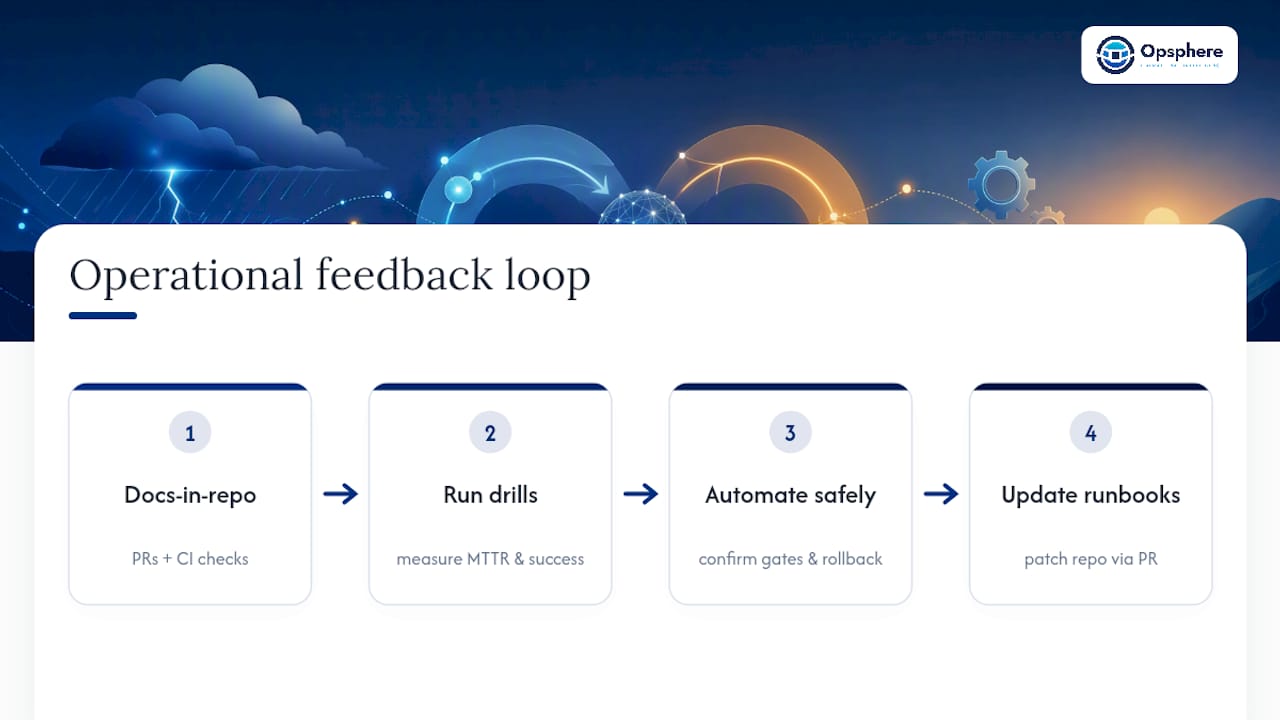
- Run drills, not just tabletop reviews. Actually execute the runbook against a staging environment on a schedule, because a runbook that’s never been run is a guess dressed up as documentation.
- Automate gradually. Start human-readable, then script the low-risk, high-frequency steps first, always keeping a confirmation gate and a rollback path before automating anything destructive.
Teams running Terraform-native infrastructure get a natural head start here, since runbook automation tied to infrastructure-as-code keeps the executable steps and the infrastructure definitions in sync by construction.
Pro Tip: Set a review cadence tied to incidents, not the calendar. A runbook reviewed only once a year will still miss the config change from three weeks ago that broke step four.
Runbook Template and Playbook Outline You Can Copy
A runbook doesn’t need to be elaborate to be useful. It needs required fields, clear commands, and a defined rollback path.
Runbook: Restart Stuck Queue Consumer Environment: production Prerequisites: on-call permissions, queue admin access Steps: 1) Check consumer lag metric 2)
kubectl rollout restart deployment/consumer-worker3) Confirm lag drops within 5 minutes Expected output: lag returns to baseline Rollback: scale previous deployment back up if lag doesn’t recover
A playbook outline stays lighter: severity matrix, incident commander role, a comms template for the status page, and links to the two or three runbooks that role will need. Open-source examples on GitHub, including the runbookdev demo repository, show runnable fields like confirm gates and health checks worth copying directly.
Practitioner Advice: Preventing Drift and Measuring Doc Health
Docs-as-code isn’t optional once your infrastructure changes weekly. Keep runbooks in the same repo as your infrastructure-as-code and require a pull request to touch one whenever the underlying system changes, per AWS’s operational excellence guidance. CI checks that lint for broken commands or missing placeholders catch drift before an incident does.
Run drills regularly and track two numbers: mean time to resolution (MTTR) and drill success rate. A runbook that fails during a scheduled drill will fail again during a real outage, just at a worse time. When you do automate, keep confirm gates on anything destructive and always wire in a rollback handler, following the pattern in AWS’s own guidance on incremental automation.
What Most Teams Get Wrong About Runbooks and Playbooks
The most common failure isn’t missing documentation. It’s writing a 40-step technical runbook and calling it an incident playbook, then discovering during a real outage that nobody knows who’s allowed to declare a SEV1 or talk to the customer.
Start with the playbook. It’s cheap to write, forces role clarity, and pays off on the very first incident where two teams collide. Add your first runbook the moment a fix repeats twice, then automate that one runbook before writing five more you’ll never test. Version control and a quarterly drill schedule matter more than document length; a runbook nobody has run in six months is a guess, not a safeguard.
— José
Where to Learn More About Runbooks and Playbooks
For canonical guidance on runbook structure and storage, AWS’s Well-Architected operational excellence documentation is the industry reference. TechTarget’s runbook definition covers the terminology clearly. PagerDuty’s runbook and playbook overview explains the coordination side well. For a runnable example, the runbookdev GitHub repository shows working confirm gates and rollback handlers you can adapt directly.
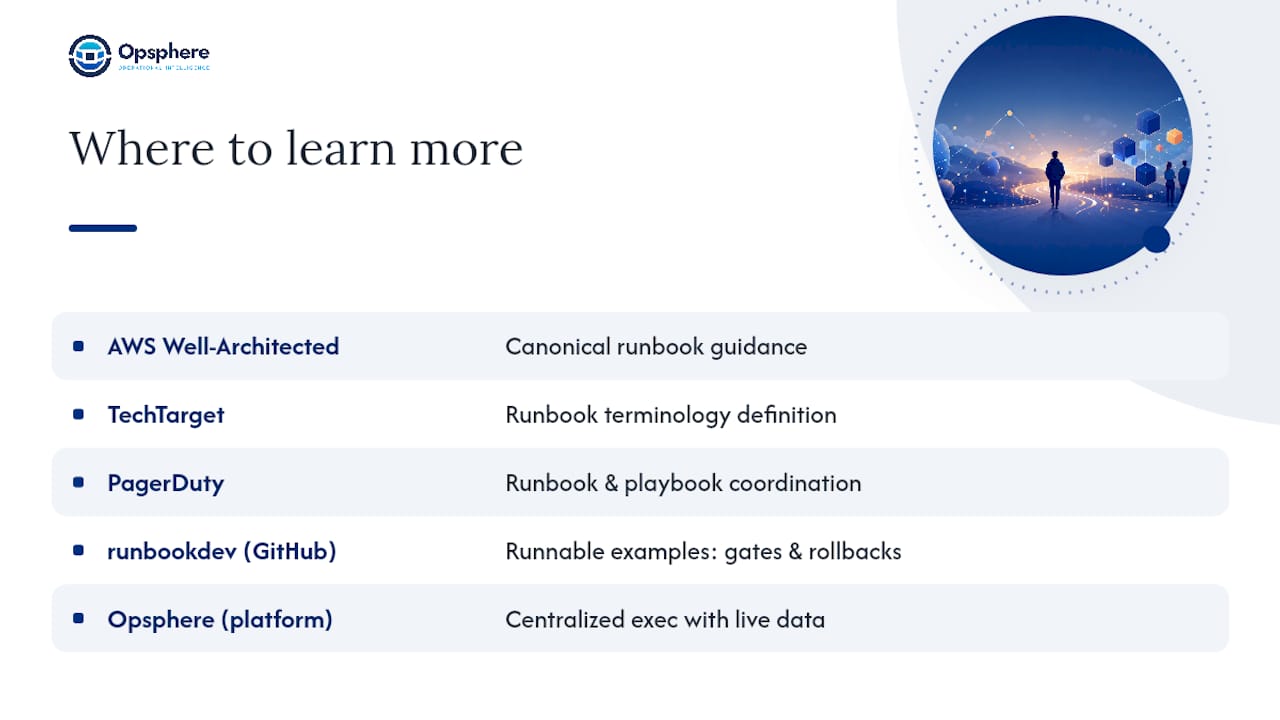
Platform teams building this out at scale often centralize both documents inside an operational layer like Opsphere’s platform, where runbook execution and playbook context sit alongside live infrastructure data instead of a separate wiki nobody checks during an outage.
Sources
- What is a runbook and what is it used for? | TechTarget
- Use runbooks to perform procedures | AWS Well-Architected operational excellence